
SpringBoot——使用WebSocket功能
创始人
2024-05-30 18:28:08
0次
springboot自带websocket,通过几个简单的注解就可以实现websocket的功能;
启动类跟普通的springboot一样:
/*** 2023年3月2日下午4:16:57*/
package testspringboot.test7websocket;import org.springframework.boot.SpringApplication;
import org.springframework.boot.autoconfigure.SpringBootApplication;
import org.springframework.context.annotation.PropertySource;/*** @author XWF**/
@SpringBootApplication
@PropertySource(value = "test7.properties")
public class Test7Main {/*** @param args*/public static void main(String[] args) {SpringApplication.run(Test7Main.class, args);}}
还需要一个websocket的配置类:
/*** 2023年3月2日下午4:26:15*/
package testspringboot.test7websocket;import org.springframework.context.annotation.Bean;
import org.springframework.context.annotation.Configuration;
import org.springframework.web.socket.server.standard.ServerEndpointExporter;/*** @author XWF**/
@Configuration
public class WebSocketConfig {@Beanpublic ServerEndpointExporter serverEndpointExporter() {return new ServerEndpointExporter();}}
配置文件里只配置了一个端口:

主要的逻辑都放到@ServerEndpoint标签注释的类里,类似controller的功能;
可以使用4种注解处理业务:
- @OnOpen:处理客户端的连接;
- @OnClose:处理客户端断开;
- @OnError:处理故障错误;
- @OnMessage:处理具体消息,有三种消息类型:String类型,ByteBuffer类型,PongMessage类型,同一消息类型类里不能出现多次;
另外可以通过Session对象设置属性或者发送数据,session.getUserProperties()存取属性,session.getBasicRemote()或者session.getAsyncRemote()可以进行同步异步发送数据;
处理类:
/*** 2023年3月2日下午4:27:01*/
package testspringboot.test7websocket;import java.io.IOException;
import java.nio.ByteBuffer;import javax.websocket.OnClose;
import javax.websocket.OnError;
import javax.websocket.OnMessage;
import javax.websocket.OnOpen;
import javax.websocket.PongMessage;
import javax.websocket.Session;
import javax.websocket.server.PathParam;
import javax.websocket.server.ServerEndpoint;import org.springframework.stereotype.Component;/*** @author XWF**/
@Component
@ServerEndpoint(value = "/websockettest/{name}")
public class WebSocketHandler {@OnOpen  public void onOpen(@PathParam("name") String name, Session session) throws IOException {  System.out.println("onOpen:" + name);session.getUserProperties().put("name", name);}@OnClose  public void onClose(@PathParam("name") String name, Session session) throws IOException {System.out.println("onClose:" + name);System.out.println(session.getUserProperties().get("name") + "关闭了");}@OnError  public void onError(Session session, Throwable error) {System.out.println("onERROR");error.printStackTrace();  }@OnMessagepublic void textMessage(Session session, String msg) {System.out.println("收到:" + msg);try {session.getBasicRemote().sendText("hello");} catch (IOException e) {e.printStackTrace();}}@OnMessagepublic void binaryMessage(Session session, ByteBuffer msg) {System.out.println("Binary message: " + msg.toString());}@OnMessagepublic void pongMessage(Session session, PongMessage msg) {System.out.println("Pong message: " + msg.getApplicationData().toString());}}
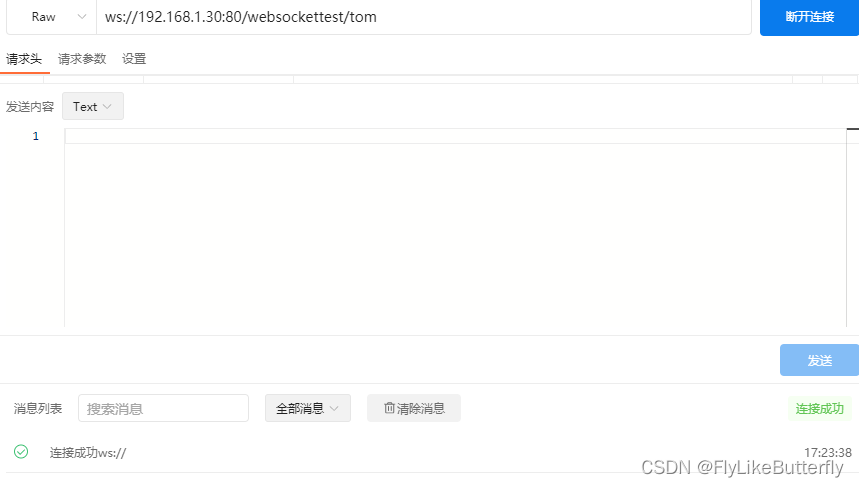
测试websocket用的Apipost:
连接测试:

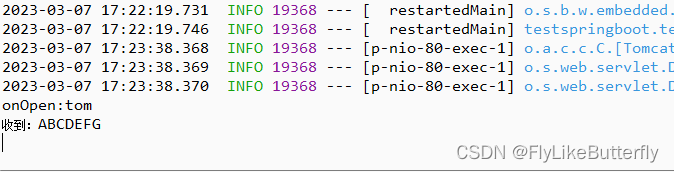
发送数据测试:

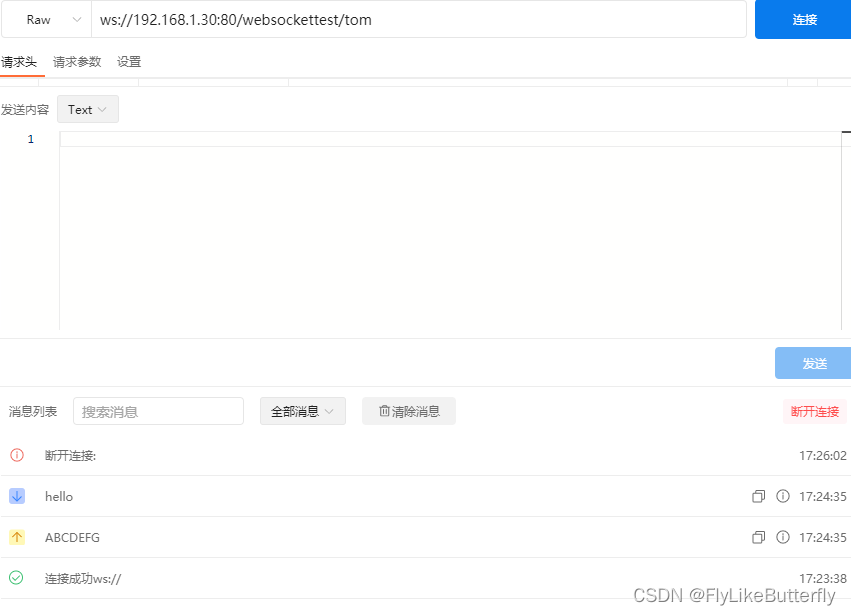
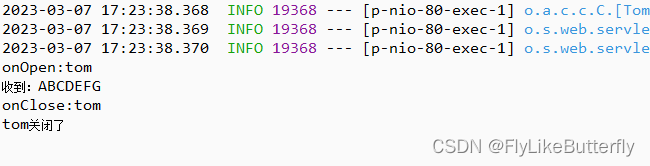
断开连接:
另外,也可以设置自己的编解码处理自己的消息,实现javax.websocket.Encoder.Text或者javax.websocket.Encoder.Binary接口实现编码器,实现javax.websocket.Decoder.Text或者javax.websocket.Decoder.Binary接口实现解码器,解码器最多两个,一个解码Text一个Binary;
在@ServerEndpoint注解里配置上自己的encoders和decoders就可以实现自定义编解码了;
自定义消息MsgA:
/*** 2023年3月3日下午3:12:47*/
package testspringboot.test7websocket;/*** @author XWF**/
public class MsgA {public int id;public String name;@Overridepublic String toString() {return "MsgA [id=" + id + ", name=" + name + "]";}}
编码器:
/*** 2023年3月3日下午3:14:02*/
package testspringboot.test7websocket;import javax.websocket.EncodeException;
import javax.websocket.Encoder.Text;
import javax.websocket.EndpointConfig;/*** @author XWF**/
public class MsgATextEncoder implements Text{@Overridepublic void init(EndpointConfig endpointConfig) {System.out.println("msga encoder init");}@Overridepublic void destroy() {System.out.println("msga encoder destroy");}// 进行编码操作,将对象编码成string@Overridepublic String encode(MsgA object) throws EncodeException {return object.toString();}}
解码器:
/*** 2023年3月3日下午3:16:52*/
package testspringboot.test7websocket;import javax.websocket.DecodeException;
import javax.websocket.Decoder.Text;
import javax.websocket.EndpointConfig;/*** @author XWF**/
public class MsgATextDecoder implements Text {@Overridepublic void init(EndpointConfig endpointConfig) {System.out.println("msga decoder init");}@Overridepublic void destroy() {System.out.println("msga decoder destroy");}// 进行解码操作,将string解码成需要的对象@Overridepublic MsgA decode(String s) throws DecodeException {MsgA msga = new MsgA();msga.id = Integer.parseInt(s.split(",")[0]);msga.name = s.split(",")[1];return msga;}// 验证消息是否可以解码,返回true可以解码,否则返回false@Overridepublic boolean willDecode(String s) {// 接收格式:id,nameif (s.split(",").length == 2) {try {Integer.parseInt(s.split(",")[0]);} catch (NumberFormatException e) {return false;}return true;} else {return false;}}}
处理类:
/*** 2023年3月3日下午3:07:45*/
package testspringboot.test7websocket;import java.io.IOException;
import java.util.concurrent.ExecutionException;
import java.util.concurrent.Future;
import java.util.concurrent.TimeUnit;
import java.util.concurrent.TimeoutException;import javax.websocket.EncodeException;
import javax.websocket.OnClose;
import javax.websocket.OnError;
import javax.websocket.OnMessage;
import javax.websocket.OnOpen;
import javax.websocket.Session;
import javax.websocket.server.ServerEndpoint;import org.springframework.stereotype.Component;/*** @author XWF**/
@Component
@ServerEndpoint(value = "/websocketmsgtest", encoders = {MsgATextEncoder.class}, decoders = {MsgATextDecoder.class})
public class WebSocketMsgHandler {@OnOpenpublic void onOpen() {}@OnClosepublic void onClose() {}@OnErrorpublic void onError(Throwable error) {}@OnMessagepublic void textMessageA(Session session, MsgA msga) {System.out.println("收到:" + msga);MsgA sendMsg = new MsgA();sendMsg.id = 9999;sendMsg.name = "HELLO WORLD";try {session.getBasicRemote().sendObject(sendMsg);} catch (IOException e) {e.printStackTrace();} catch (EncodeException e) {e.printStackTrace();}sendMsg.id = 8888;sendMsg.name = "hello world";Future future = session.getAsyncRemote().sendObject(sendMsg);try {future.get(3, TimeUnit.SECONDS);System.out.println("发送完毕");} catch (InterruptedException | ExecutionException | TimeoutException e) {System.out.println("超时");e.printStackTrace();}}}
测试:
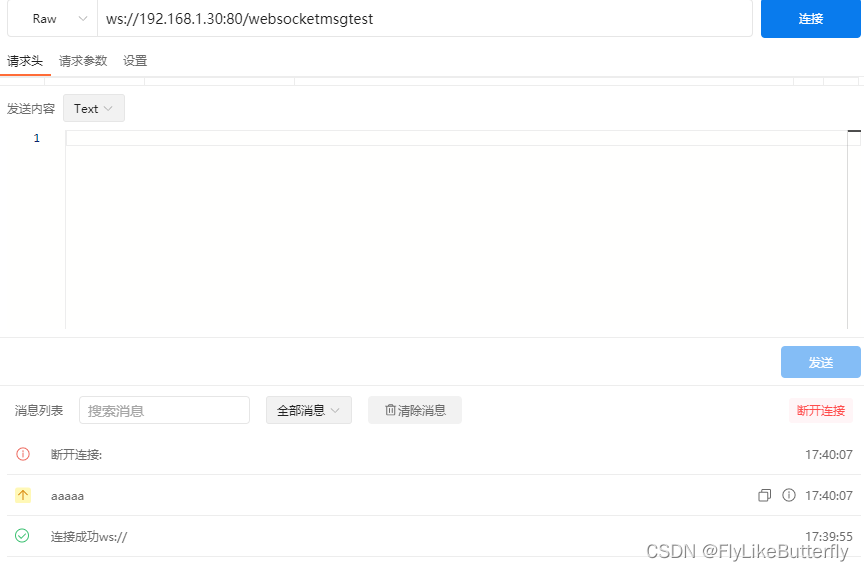
不按照解码格式要求请求会异常并断开连接:
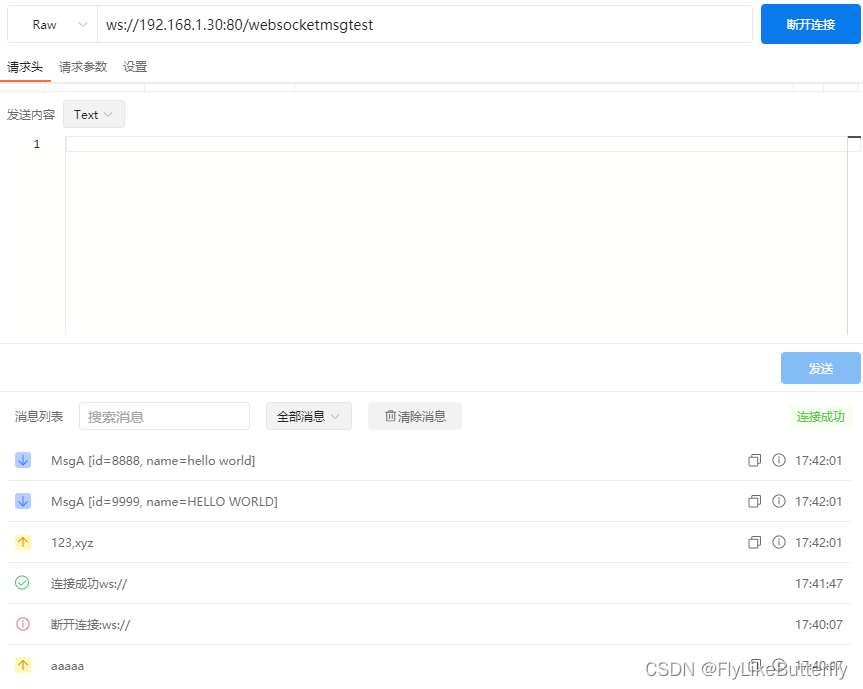
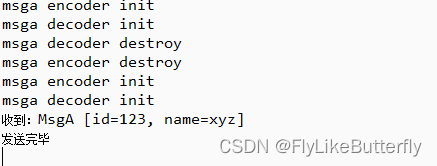
正常测试:
相关内容
热门资讯
前端-session、jwt
目录: (1)session (2&#x...
linux入门---制作进度条
了解缓冲区 我们首先来看看下面的操作: 我们首先创建了一个文件并在这个文件里面添加了...
关于测试,我发现了哪些新大陆
关于测试 平常也只是听说过一些关于测试的术语,但并没有使用过测试工具。偶然看到编程老师...
前缀和与对数器与二分法
1. 前缀和 假设有一个数组,我们想大量频繁的去访问L到R这个区间的和,...
nodejs:本地安装nvm实...
一、背景-使用不同版本node的原因 vue3+ts、nuxt3版本,node...
JAVA集合知识整理
Java集合知识整理 HashMap相关 HashMap的底层数据结构:jdk1.8之...
无刷直流电机介绍及单片机控制实...
无刷直流电机介绍及单片机控制实例前言基本概念优势与劣势使用寿命基本结构使用单片机控制实例电子调速器&...
fwdiary(2) dp2
1.传纸条 AcWing 275. 传纸条 - AcWing 走两条路,走一条最大的...
常用的DOS命令
常用的DOS命令 DOS(Disk Operating System,磁...
<C++> 类和对象(下)
1.const成员函数将const修饰的“成员函数”称之为const成员函数,cons...